
If you've been collecting Pokemon for years across different games, you can bring them into Pokemon Champions through Pokemon HOME. It takes just a few steps to set up, and once you're done, your old favorites are ready to battle. Here’s everything you need to know.
What Is Pokemon HOME?
Pokemon HOME is basically a storage app for all your Pokemon. You can store Pokemon from different games in one place and then move them around as needed.
It works on both Nintendo Switch and mobile, so you can manage your collection from wherever you are. Just make sure both versions are linked to the same Nintendo Account, and everything syncs up automatically.
How to Transfer Pokemon Into Pokemon HOME
Before you can use your Pokemon in Champions, you need to get them into HOME first. Here's how:
- Open the Pokemon HOME app and tap "Pokemon"
- Pick the game you want to transfer from
- Your HOME boxes appear on the left, the game's boxes on the right
- Drag your Pokemon from the game side to the HOME side
- Go back to the main screen to save
- That's it, your Pokemon are now in HOME
How to Move Pokemon Into Pokemon Champions
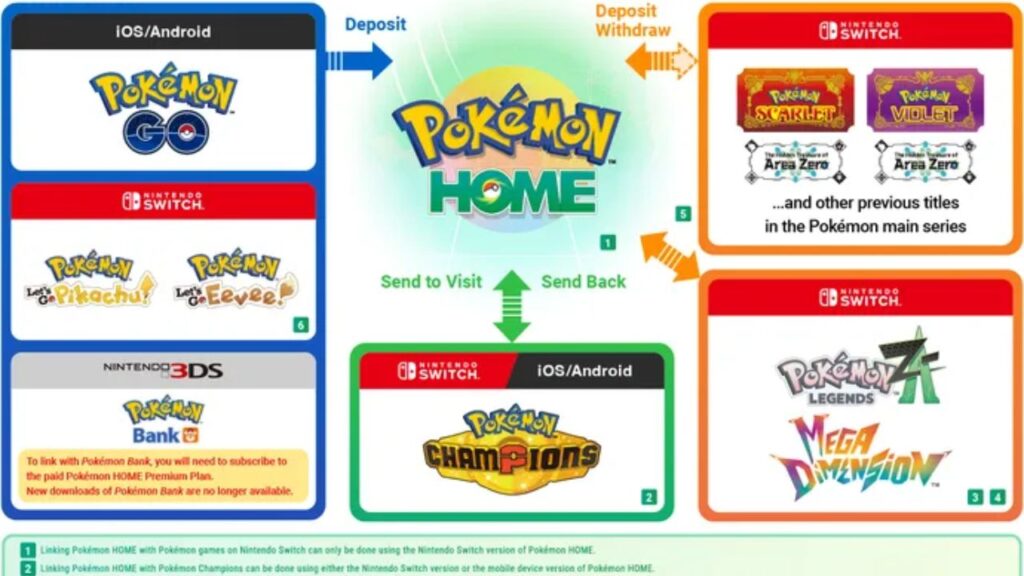
Once your Pokemon are sitting in HOME, you can transfer them over to Champions. Here's what the process looks like:
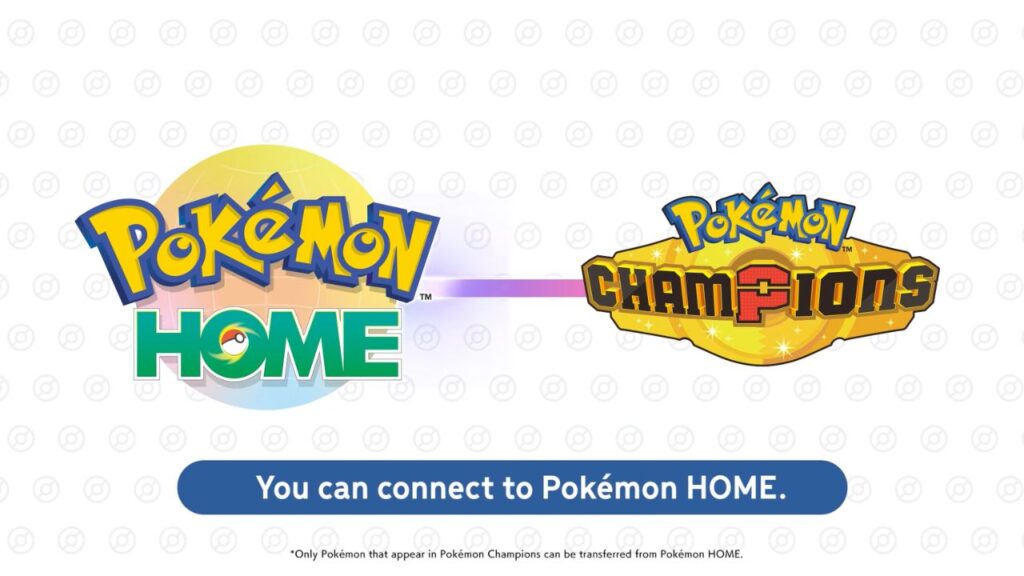
- Open Pokemon HOME and select Pokemon Champions as your destination game
- Drag the Pokemon you want from the HOME side into Champions
- Save your changes, close HOME, then launch Pokemon Champions
- Check your in-game storage to confirm they arrived
One thing to keep in mind, not every Pokemon will work in Champions. Only Pokemon that are actually in the game's roster can be transferred. If a Pokemon isn't supported, you won't be able to select it, even if it's sitting right there in HOME.
Things to Know Before You Transfer
A few important details worth knowing before you move anything over:
- Moves can change. If your Pokemon knows a move that doesn't exist in Pokemon Champions, that move may get swapped out. You can retrain your Pokemon using the in-game training system.
- Training doesn't carry back to HOME. Any progress your Pokemon makes in Champions stays in Champions, it won't reflect back in HOME. But if you bring that same Pokemon back into Champions later, its previous training in the game should still be there.
- Form changes reset training. If your Pokemon comes back into Champions in a different form, its training data may get wiped. So be careful when swapping forms.
- Roster Ranch Pokemon stay in the game. Pokemon you catch or recruit through Roster Ranch cannot be sent to Pokemon HOME at all.
Can You Send Pokemon Back to HOME?
Yes! Pokemon you bring in from HOME can return to HOME whenever you want. You can send them back using either the Switch or mobile version of Pokemon Champions.
Just remember, Pokemon you recruit inside Champions (like from Roster Ranch) are stuck in the game. Only the ones you originally brought in from HOME can go back.
That’s everything you need to know to transfer Pokemon from HOME to Champions. Easy, right? Now let’s move some Pokemon over, and be the best Trainer in Pokemon Champions! Make sure to check out the current meta analysis to see which Pokemon are the strongest now.